Desktop Font Manager · Windows
The Modern Native Font Manager.
Built with love for a comfortable, lightweight, and powerful experience.
TypePOT is designed for large font collections, with low memory usage, a smooth experience, and a rich set of professional tools* to help you organize, explore, and manage your fonts with ease.
Free Forever · Windows 10 & 11 · Zero Forced Account
More Than A
Font Manager.
TypePOT brings powerful tools like Visual Matcher and Font Doctor & Duplicate Finder into your everyday font workflow. Everything you need to explore, manage, and work with your fonts, in one focused and beautiful workspace.
Organize Your
Fonts Your Way.
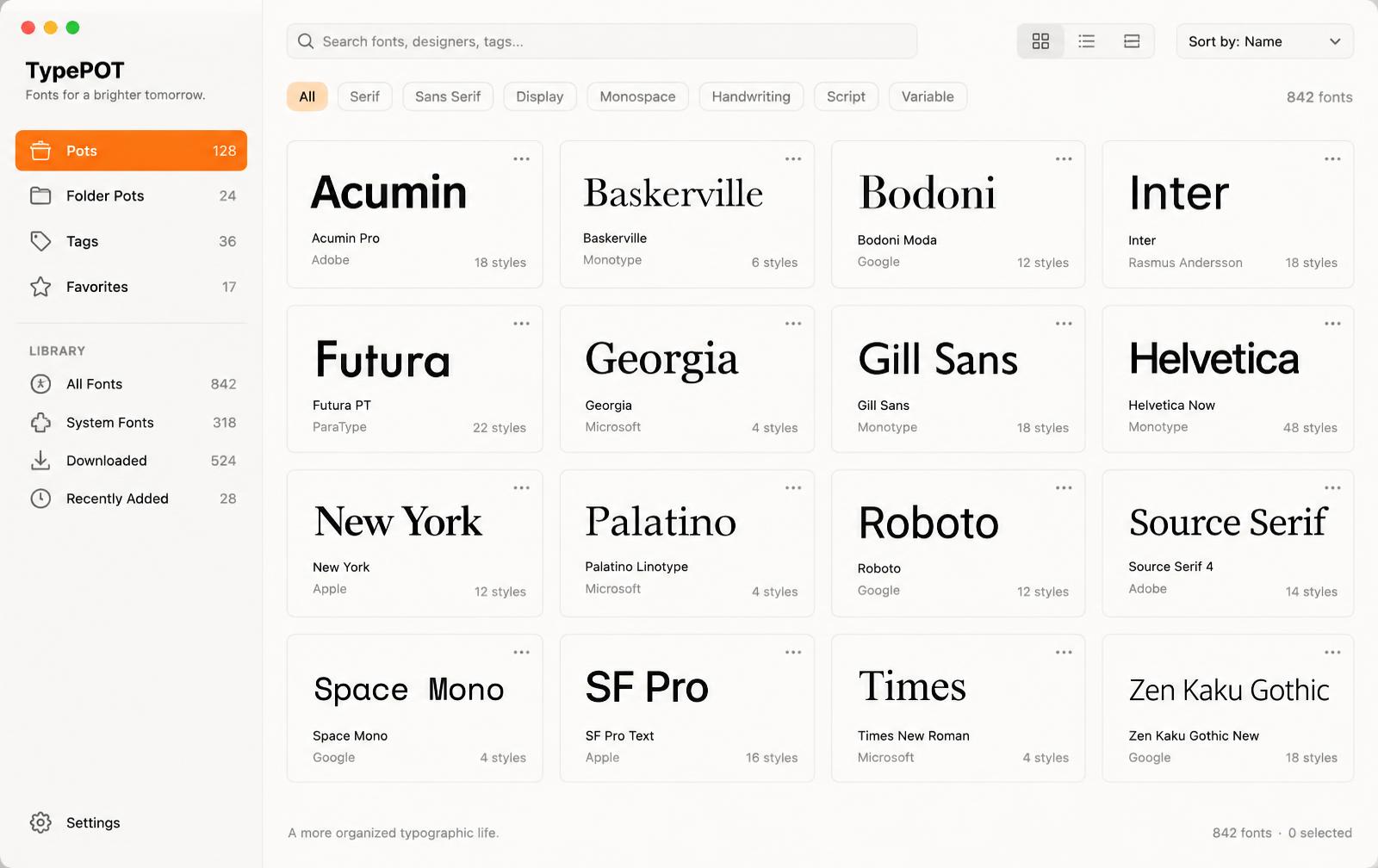
Your font collection is unique. TypePOT gives you the freedom to organize it the way that works best for you.
Create Pots, connect your existing font folders, add tags, save favorites, and build collections around your projects, clients, styles, or anything else.
Pots
Create collections that work the way you do.
Folder Pots
Connect your existing font folders and keep them organized inside TypePOT.
Tags
Add your own categories and organize fonts beyond folders.
Favorites
Keep the fonts you use most within easy reach.
Find The Right
Font Faster.
When your collection grows, finding the right font shouldn't mean searching through folders one by one.
Search, filter, compare, and explore your fonts from one place. Quickly narrow down your collection and find the typeface that fits your project.
- —Search by name.
- —Filter by properties.
- —Compare typefaces.
- —Explore styles.
- —Preview glyphs.
Visual Matcher
See A Font.
Find It.
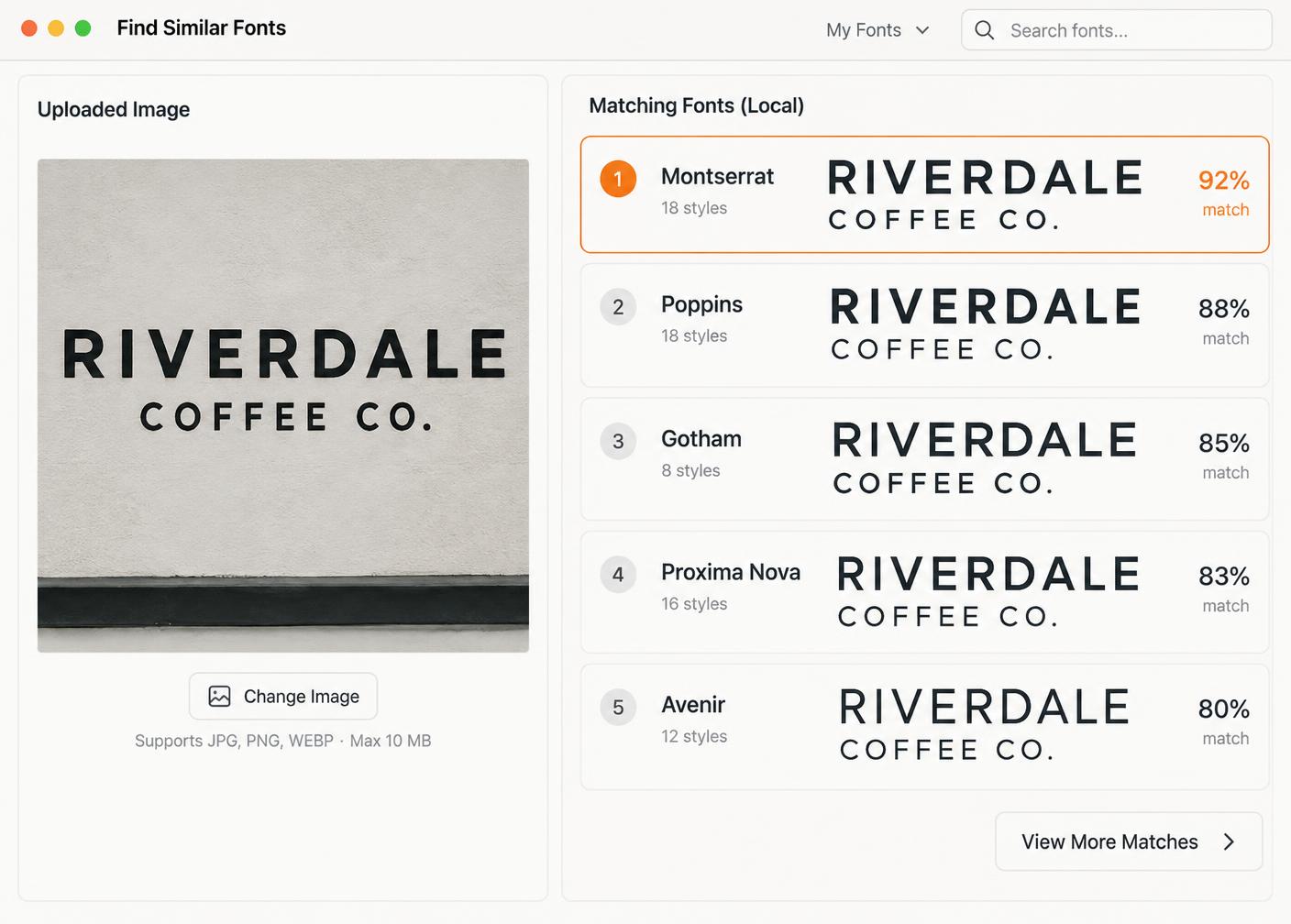
Sometimes you see a font you like but don't know its name.
With Visual Matcher, simply provide an image and TypePOT helps you find matching fonts from your own collection.
Find Fonts From An Image.
Available with TypePOT Pro.
Font Doctor & Duplicate Finder
Keep Your Font
Collection Clean.
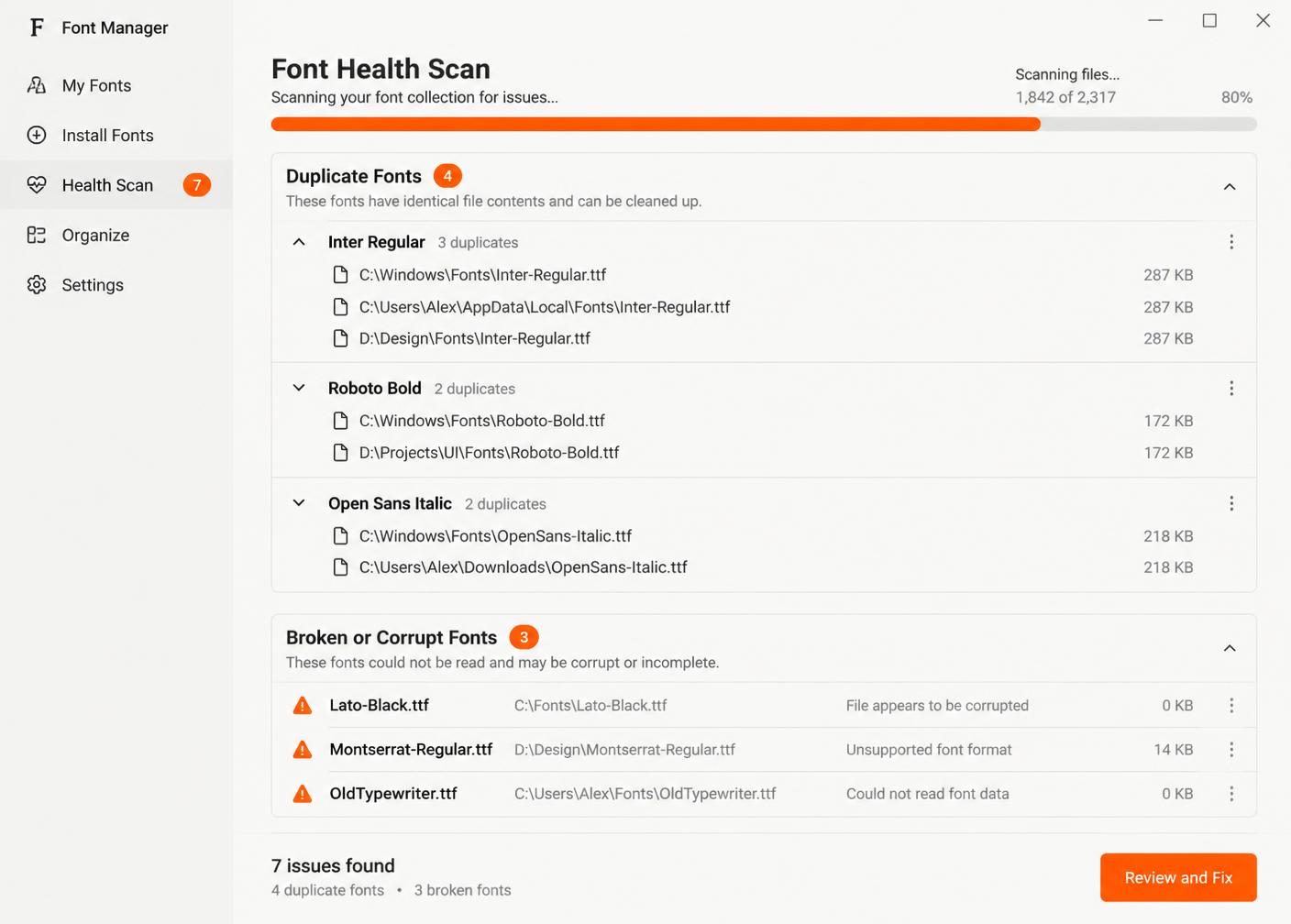
Large font collections can become difficult to maintain.
Font Doctor helps you identify font issues, while Duplicate Finder automatically scans your font folders to find duplicate fonts across your collection.
No need to manually search folder after folder.
Available with TypePOT Pro.
Auto Activation
Your Fonts, Ready
When You Need Them.
You don't need every font installed and active all the time.
TypePOT can automatically activate the fonts your projects need, so you can keep your system clean while still having your entire collection available when you need it.
Adobe Illustrator
Supported
Adobe Photoshop
Supported
Adobe InDesign
Supported
Affinity & CorelDRAW
Supported
01 Open your project.
02 Find your font.
03 Keep designing.
See Your Fonts
Before You Use Them.
Type isn't just about the font name.
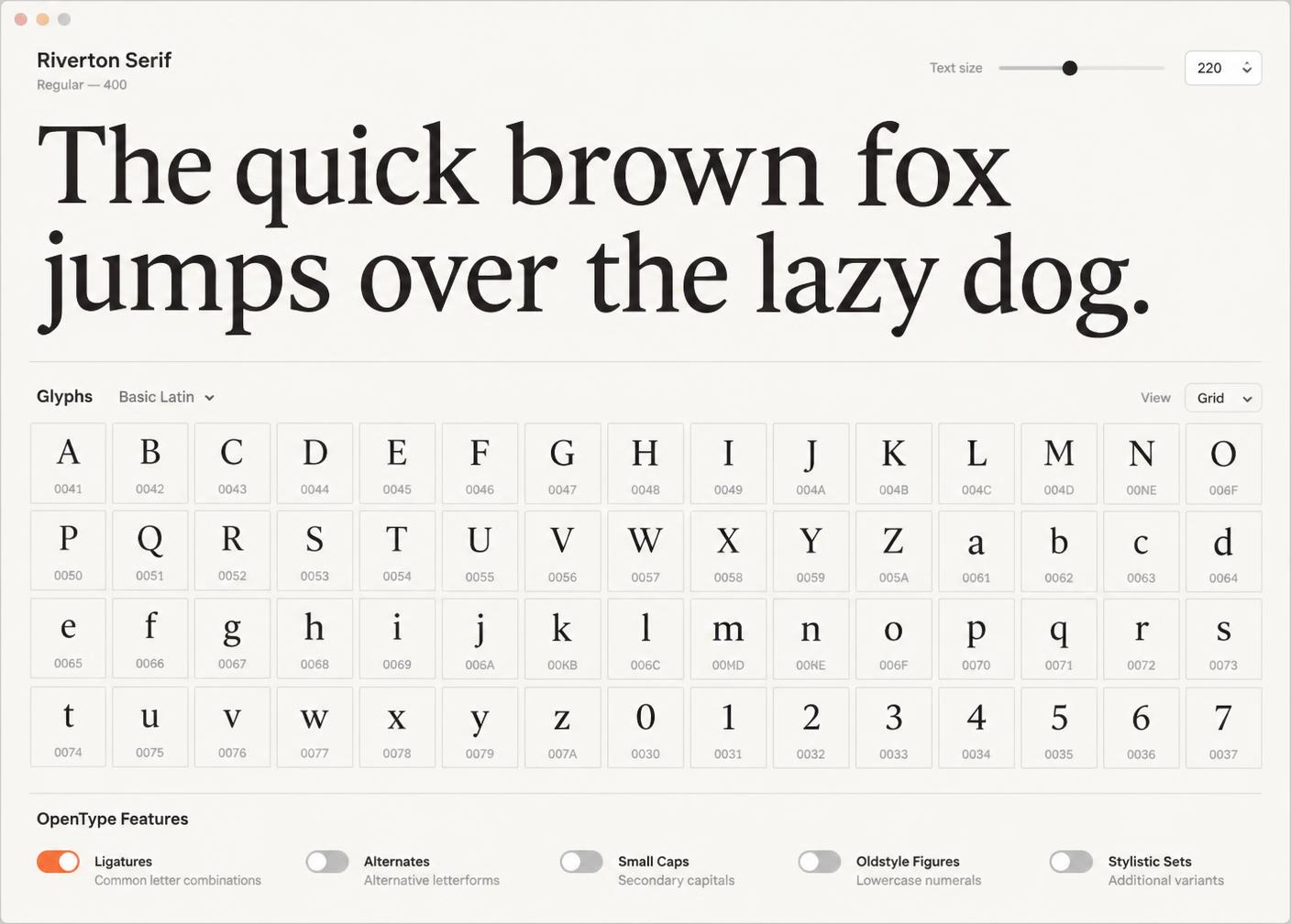
Preview your own text, compare different typefaces, explore glyphs, inspect OpenType features, and see how your fonts actually look before bringing them into your design.
Aa Bb Cc
Color Fonts, Unicode,
CJK & More.
TypePOT is built to handle modern font collections, from everyday typefaces to fonts with extended character sets and advanced features.
Lightweight By Design.
Your font manager shouldn't become another heavy application competing for your computer's resources.
TypePOT is designed to stay lightweight, responsive, and comfortable to use while working with large font collections.
Low Memory Usage
Designed to keep memory usage low and leave more resources available for the applications you actually use.
Fast & Responsive
Browse, search, preview, and manage your fonts without unnecessary waiting.
Built For Large Collections
Your collection can continue to grow while TypePOT stays comfortable to use.
Up To 20–70% Less RAM*
In our internal comparisons, TypePOT used up to 20–70% less RAM depending on the application, workload, and collection.
*Results vary depending on system, application state, font collection, and workload.
See What's Different.
Font managers have many things in common. TypePOT adds tools designed to make discovering and maintaining a large font collection easier.
| Feature | TypePOT | FontBase | Typeface | RightFont |
|---|---|---|---|---|
| Font Organization | ✓ | ✓ | ✓ | ✓ |
| Search & Filters | ✓ | ✓ | ✓ | ✓ |
| Font Preview | ✓ | ✓ | ✓ | ✓ |
| Glyph Preview | ✓ | ✓ | ✓ | ✓ |
| Color Fonts Preview | ✓ | ? | ✓ | ? |
| Font Activation | ✓ | ✓ | ✓ | ✓ |
| Auto Activation | ✓ | ✓ | ✓ | ✓ |
| Folder Pots / Watched Folders | ✓ | ✓ | ? | ✓ |
| Find Fonts From Image | ✓ | ? | ? | ? |
| Automatic Duplicate Detection | ✓ | ? | ✓ | ? |
| Font Doctor | ✓ | ? | ? | ? |
More Professional Tools.
TypePOT brings together the tools you need throughout your font workflow.
Organize
- Pots
- Folder Pots
- Tags
- Favorites
- Collections
Discover
- Search
- Filters
- Visual Matcher
- Compare
Preview
- Custom Text
- Glyphs
- OpenType
- Color Fonts
Maintain
- Font Doctor
- Duplicate Finder
Activate
- Auto Activation
- Font Installation
Explore
- Unicode
- CJK
- Variable Fonts
- Alternates
- Ligatures
*Some professional tools are available with TypePOT Pro.
Start Free. Stay Free.
TypePOT Free
Everything you need to organize and explore your font collection.
$0
Forever
- ✓Unlimited Fonts
- ✓Unlimited Pots
- ✓Folder Pots
- ✓Tags
- ✓Favorites
- ✓Search
- ✓Font Preview
- ✓Glyph Preview
- ✓Font Organization
TypePOT Pro
Advanced tools for discovering, maintaining, and working with your font collection.
Go Further With Pro.
- ✓Visual Matcher
- ✓Font Doctor
- ✓Automatic Duplicate Finder
- ✓Advanced Font Tools
- ✓Professional Workflow Features
- ✓More features as TypePOT evolves
14-Day Free Trial
No credit card required · $49 Perpetual License
Made For Your Font Workflow.
TypePOT
Your Fonts.
Your Workflow.
Organize your collection, discover new possibilities, and work with your fonts without getting buried in font management.
Windows 10 & 11 (64-bit) · Free Forever · Pro Available